Mepco Bill Payment Methods
How Can You Pay Your MEPCO Bill?
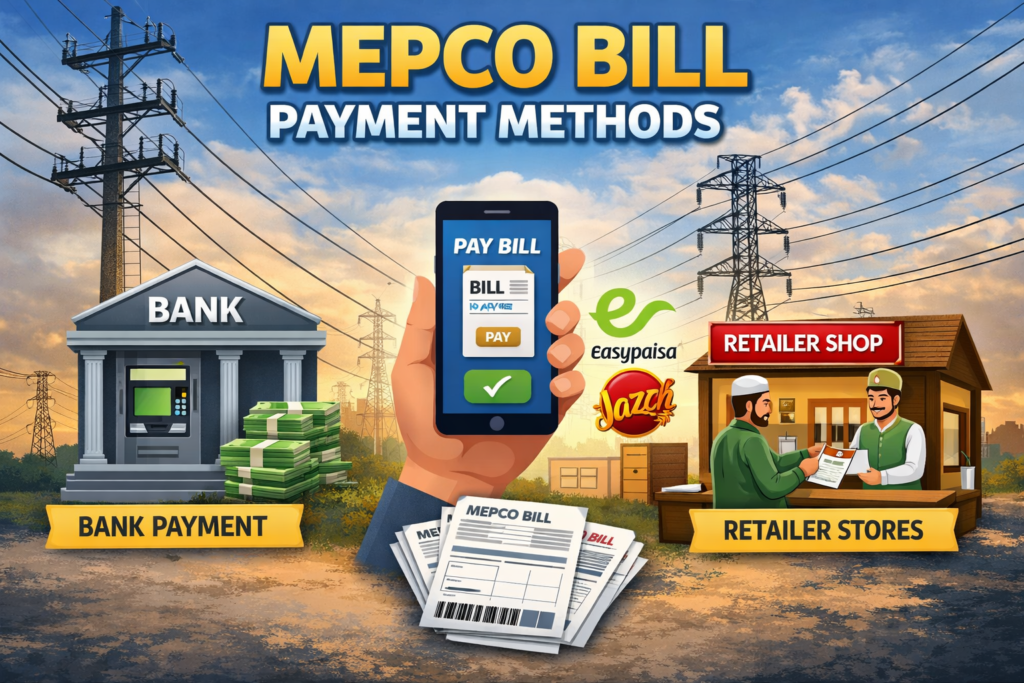
MEPCO Bill Payment Methods include internet banking, mobile wallets, ATMs, designated bank branches and other authorized payment points. The option that works best for you may depend on your bank, location and current MEPCO payment arrangements.
Why Paying on Time Matters
Your bill shows a due date for payment. Under NEPRA’s Consumer Service Manual, the due date is generally set within 15 days of the bill’s issue date, and consumers should have at least 7 clear days from the actual delivery of the bill to make payment.
If a bill remains unpaid past the due date, late payment charges may apply according to the applicable billing rules. Check the amount and due date printed on your latest bill rather than relying on a fixed percentage or general grace-period assumption.
If you’ve already missed the due date, check your latest bill for the updated payable amount and pay through an available MEPCO payment channel. Keep your payment receipt or digital confirmation afterward.
Online Payment Options
Online payment can be convenient because you can pay without visiting a physical payment point. Common online options include:
Internet Banking
Many banks offer utility bill payment through their app or website. Open your bank’s app, look for the bill payment or utility bills section, select MEPCO as the provider, enter your reference number, check the bill details, and confirm. Save the transaction confirmation shown by your bank, since the exact process can vary between banks.
Mobile Wallets (JazzCash and Easypaisa)
If MEPCO is listed as a biller in your wallet app, go to the utility bill payment section, select the electricity provider, enter your reference number, verify the bill details, and confirm the payment. Save the digital receipt afterward.
ATM Payment
Some ATMs support electricity bill payment. Insert your card, select the bill payment option, choose MEPCO, enter your reference number, and confirm after checking the displayed details. Keep the ATM receipt or transaction reference.
Offline Payment Options
Bank Branches
You can pay at designated commercial bank branches by providing your bill or reference number at the counter and paying in cash. Ask for and keep the stamped receipt.
Post Office
Designated post offices are also listed among MEPCO’s payment collection points. Confirm that your local branch currently accepts MEPCO payments before visiting, and keep the acknowledged receipt.
Authorized Payment Shops and Collection Centers
Some areas have authorized bill collection points. Confirm the point is authorized before handing over cash, and always ask for a receipt.
NADRA e-Sahulat Centers
NADRA kiosks are also listed among MEPCO’s authorized collection points, though availability can depend on location. Confirm before visiting and keep your receipt.
Choosing the Right MEPCO Bill Payment Method
If you’re comfortable with a bank account or mobile wallet, internet banking or JazzCash/Easypaisa tend to be the most convenient, working anytime and giving you an instant digital record.
If you prefer paying in person without a long queue, ATM payment is a reasonable middle ground.
If you prefer dealing with people directly or don’t use digital services, bank branches and post offices remain reliable options.
Whichever method you use, pay before your due date and keep your receipt or confirmation.
Tips to Avoid a Late Payment
If your bill shows a wrong meter reading or extra charges, see our MEPCO Bill Correction guide. For other issues, our MEPCO Helpline Numbers page has the relevant contacts.
Checking If Your Payment Went Through
If a payment doesn’t appear in your electricity account, check your transaction record before making another payment.
For internet banking or mobile wallet payments, save the transaction confirmation shown by the app, which may include a reference number. Keep a screenshot until the payment reflects in your account, since confirmation methods vary between services.
For an ATM payment, keep the printed receipt or note the transaction reference shown on screen, then check your bank statement for the record.
Use an official MEPCO or PITC service to check your bill or payment status, with your 14-digit reference number ready. If the payment hasn’t appeared after a reasonable period, keep your receipt and contact the relevant MEPCO office or complaint channel. Avoid making a second payment until you’ve confirmed what happened to the first.
These MEPCO Bill Payment Methods cover most consumers’ needs, whether you prefer digital convenience or an in-person option.
Frequently Asked Questions
Q1: Can I pay after the due date?
Yes, but applicable late payment charges may be added according to the billing rules. Check the updated amount on your bill before paying.
Q2: How long does online payment take to show up in the system?
This can vary depending on the bank, wallet or channel used. Keep your confirmation and check your payment status afterward.
Q3: Is online payment safe?
Yes, as long as you use official banking apps, JazzCash or Easypaisa. Avoid unofficial third-party websites or unknown apps.
Q4: Do banks charge extra for MEPCO payments?
Any additional fee depends on the payment provider. Check the applicable charges shown by your bank or wallet before confirming the transaction.
Q5: My payment went through but the bill still shows unpaid. What now?
Keep your receipt and check the payment status through an official MEPCO or PITC service. If it’s still not reflected, contact the relevant MEPCO office with your payment details.
Q6: Can I pay someone else’s bill online?
Some payment services allow paying with the consumer’s reference number. Verify the displayed bill details belong to the correct connection before confirming.
Official Sources
This guide references NEPRA’s Consumer Service Manual (Clause 6.3) on bill due dates and MEPCO’s published payment procedures. Payment channels and fees can change, so check what’s currently available through your bank, wallet or MEPCO before relying on this guide.