Mepco Bill Payment Methods
How Can You Pay Your MEPCO Bill?
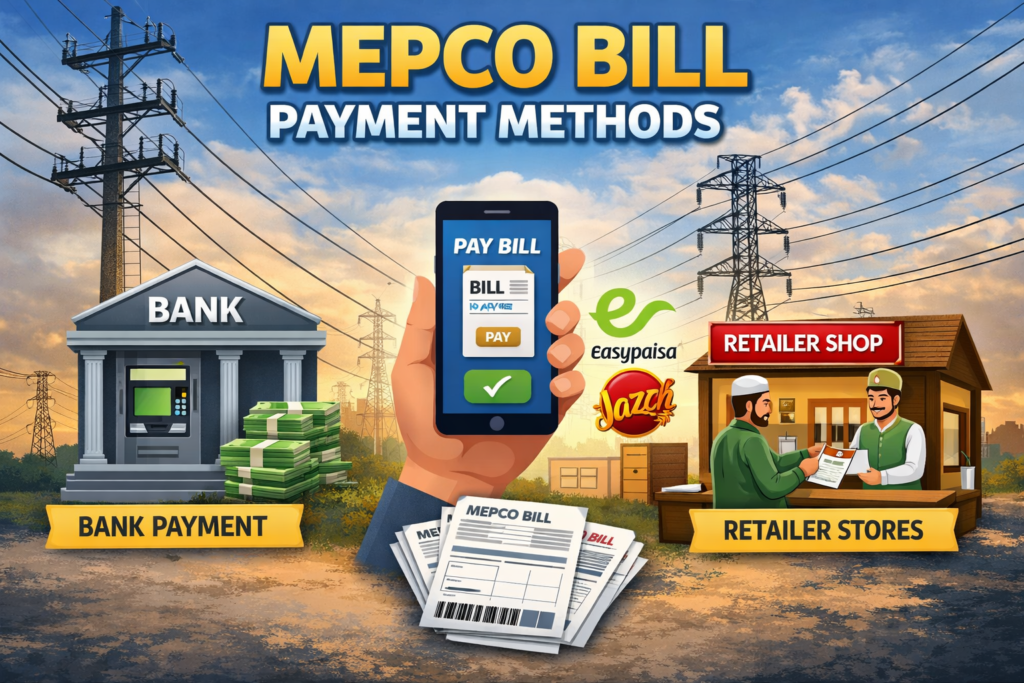
Paying your electricity bill used to mean standing in a long queue at a bank branch, sometimes for over an hour, just to hand over cash and get a receipt. Those days are largely behind us now. Today, MEPCO bill payment methods have expanded to cover everything from mobile wallets to ATMs to internet banking — and the traditional options like banks and post offices are still very much available for those who prefer them.
This guide walks you through every available MEPCO bill payment method in detail, so you can choose the one that fits your routine and never miss a due date again.
Why Paying Your MEPCO Bill on Time Matters
Your MEPCO bill shows a due date for payment. Paying by the due date helps you avoid late payment charges and problems related to unpaid bills.
MEPCO’s published billing information states that the due date is normally within 15 days from the bill’s issue date, while consumers should have at least 7 days from the actual delivery of the bill to make payment.
If a bill remains unpaid, late payment charges may apply according to the applicable billing rules. Consumers should check the amount and due date printed on their latest bill rather than relying on a fixed percentage or a general grace-period claim.
If you have already missed the due date, check your latest bill for the updated payable amount and pay through an available MEPCO payment channel. Keep your payment receipt or digital confirmation after making the payment.
Online MEPCO Bill Payment Methods
Online payment has become the preferred choice for most urban consumers, and it is easy to see why. You can pay from anywhere, at any time, without leaving your home. Here are all the online options available:
a) Internet Banking
Many banks in Pakistan provide utility bill payment through their internet banking services or mobile apps. If your bank supports MEPCO bill payment, open the bank’s official app or website and look for the bill payment or utility bills section.
Select MEPCO as the electricity provider, enter the required reference number, check the bill details and amount, and confirm the payment.
After payment, save the transaction confirmation or receipt shown by your bank. The exact payment process and confirmation method can vary between banks.
You can also visit the official MEPCO website at mepco.com.pk for further details on bill payment and consumer services.
b) Mobile Wallets JazzCash and Easypaisa
Mobile wallets can also be used to pay electricity bills when MEPCO is available as a biller in the payment service. Open the official wallet app, go to the utility bill payment section and select the electricity provider.
Enter your MEPCO reference number and check the bill details before confirming the payment.
After completing the transaction, save the digital receipt or transaction reference provided by the app. Payment options and steps can change, so check the current options shown in the app.
c) ATM Payment
Some ATMs provide electricity bill payment services. If your bank’s ATM supports MEPCO bill payment, insert your card and select the bill payment or utility payment option.
Select MEPCO, enter the required reference number and check the displayed bill details before confirming the payment.
Keep the ATM receipt or transaction reference after payment. ATM services and supported billers can vary between banks and machines.
Offline MEPCO Bill Payment Methods
Not everyone is comfortable with digital payments, and MEPCO has made sure that traditional payment options remain widely available. If you prefer paying in cash or in person, here are your options:
a) Bank Branches
Visiting a bank branch is one of the oldest and most trusted ways to pay. You can walk into any commercial bank branch, hand over your bill or provide your reference number at the counter, pay the amount in cash, and collect your stamped receipt.
MEPCO electricity bills can be paid at designated commercial bank branches in the relevant area. Take your bill or the required consumer information to the payment counter and pay the amount shown on the bill.
Ask for and keep the stamped payment receipt after the transaction. MEPCO’s published payment procedure also refers to designated bank branches for bill collection.
b) Post Office
MEPCO’s published payment procedure includes designated post offices among the places where electricity bills can be collected. Take your bill or required consumer information to the payment counter and keep the acknowledged receipt after payment.
Before visiting a particular post office, confirm that it currently accepts MEPCO bill payments.
c)Authorized Payment Shops and Collection Centers
Some consumers may have access to authorized bill collection or payment points. If you choose this option, confirm that the payment point is authorized to collect MEPCO bills before handing over cash.
Always ask for a payment receipt and keep it until the payment appears correctly in your account.

d) NADRA e-Sahulat Centers
NADRA kiosks are also listed among the authorized electricity bill collection points in MEPCO’s published payment procedure. Availability can depend on the particular location.
If you plan to use a NADRA kiosk, confirm that the location currently accepts MEPCO bill payments before visiting. Keep the payment receipt after completing the transaction.
Which MEPCO Bill Payment Method Is Best for You?
The honest answer is that it depends entirely on your personal situation and preferences. Here is a quick way to think about it:
If you are comfortable with smartphones and have a bank account or mobile wallet, internet banking or JazzCash/Easypaisa are the most convenient options. They save time, work 24/7, and give you an instant digital record of your payment.
If you prefer paying in person but want to avoid long queues, ATM payment is a good middle ground — fast, available outside banking hours, and does not require a smartphone.
If you prefer dealing with people face to face or do not use digital services, bank branches and post offices are completely reliable and have been handling MEPCO payments for decades.
Whatever method you choose, the most important thing is to pay before your due date and always keep your receipt or payment confirmation safe.
Tips to Never Miss a Payment Again
A few simple habits can make sure you never end up in a late payment situation:
Check your bill online as soon as it is generated — you do not need to wait for the physical copy to arrive. You can view your complete bill details including the due date on the MEPCO bill checking page using your 14-digit reference number.
Set a reminder on your phone for 3 to 4 days before the due date. That gives you enough time to pay through whichever method is most convenient without rushing.
If you use internet banking or a mobile wallet, consider saving your MEPCO reference number in the app so you do not have to enter it every month.
Keep your last 2 to 3 payment receipts or digital confirmations. If a payment ever fails to reflect in the system, having proof of payment makes the dispute process much faster.
If your electricity bill has wrong meter reading or extra charges, you can apply for MEPCO bill correction online.
If you are facing any issue regarding Mepco then View MEPCO helpline numbers and complaint support.
You can also apply for a MEPCO new connection online if you need a fresh electricity connection.
How to Check If Your MEPCO Payment Was Successful
This is something a lot of people do not think about until it becomes a problem. You have paid your bill, the money has left your account, and a week later you get a disconnection notice. If a payment does not appear in your electricity account, check your transaction record before making another payment.
The good news is that checking whether your MEPCO payment went through is fairly straightforward, regardless of which payment method you used.
If you paid through internet banking or a mobile wallet, save the transaction confirmation shown by the app or banking service. The confirmation may include a transaction or reference number.
Keep a screenshot or digital receipt until the payment has been reflected in your electricity account. Do not rely on an SMS alone because confirmation methods vary between payment services.
For an ATM payment, keep the receipt or transaction reference provided by the machine. If a receipt is not printed, note down any transaction reference shown on the screen and check your bank account for the transaction record.
If you want to check your bill or payment status, use an official MEPCO or PITC service that is currently available for your connection. Keep your 14-digit reference number available when checking your account.
After making a payment, check your bill or account through an official MEPCO or PITC service to confirm that the payment has been recorded.
If the payment has not appeared after a reasonable processing period, keep your payment receipt or transaction record and contact the relevant MEPCO office or complaint channel.
Do not make a second payment until you have checked what happened to the first transaction.
MEPCO Bill Payment Receipt — Why You Should Keep It
Keep your payment receipt or digital transaction record after paying your MEPCO bill. It can help if the payment is delayed, does not appear in your account, or you need to follow up about a payment.
For cash payments, keep the stamped or acknowledged receipt provided by the payment point. For online payments, save the digital confirmation or transaction reference.
For cash payments at bank branches, post offices, or authorized shops, always ask for a stamped receipt before you leave the counter. Do not walk away without one — Ask for and keep the payment receipt provided by the payment point. If anyone tells you a receipt is not available, that is a red flag and you should not hand over your cash there.
For online and mobile wallet payments, your receipt exists digitally. The moment your payment goes through, take a screenshot of the confirmation screen and save it in a dedicated folder on your phone. JazzCash and Easypaisa both also keep a transaction history inside the app, which you can refer back to at any time. For internet banking payments, most banks allow you to download or email a payment confirmation — use that feature.
It is useful to keep recent payment receipts and digital transaction records. The exact period for keeping them depends on your needs, so do not delete a payment record while a billing or payment issue is still unresolved.
If you lose a digital receipt, first check the transaction history in your banking app or mobile wallet. If you lose a cash-payment receipt, keep any other information available, such as the payment date, amount and electricity reference number, and contact the relevant payment point or MEPCO office for assistance.
Frequently Asked Questions
Q1. Can I pay my MEPCO bill after the due date?
You can make payment after the due date, but applicable late payment charges may be added according to the billing rules. Check the updated amount shown on your bill before making payment.
Q2. How long does online payment take to show up in the MEPCO system?
The time can vary depending on the bank, wallet or payment channel used. Keep your transaction confirmation and check your MEPCO payment status after making the payment.
Q3. Is online payment safe for MEPCO bills?
Yes, as long as you are using official banking apps, the JazzCash app, or the Easypaisa app. Avoid making payments through unofficial third-party websites or unknown apps.
Q4. Do banks charge extra for MEPCO bill payments?
Most banks and mobile wallets do not charge an additional fee for utility bill payments, but it is worth checking your specific bank’s terms as policies can vary.
Q5. What should I do if my payment went through but the bill still shows as unpaid?
Keep your payment receipt or digital transaction record and check the payment status through an official MEPCO or PITC service. If the payment is still not reflected, contact the relevant MEPCO office or complaint channel and provide your payment details.
Q6. Can I pay someone else’s MEPCO bill online?
Some payment services allow you to pay an electricity bill using the consumer’s reference number. Enter the correct reference number and check the displayed bill details before confirming the payment.
Final Thoughts
The range of MEPCO bill payment methods gives consumers several ways to pay their electricity bills. Depending on availability, you can use online payment, a bank branch, post office, ATM or another authorized payment channel.
Choose a payment method that is convenient for you, check the due date on your bill, and keep your payment receipt or digital transaction record.
You can easily check and download your MEPCO duplicate bill online if you have lost your original electricity bill.