MEPCO Name Change Procedure
MEPCO Name Change Procedure 2026 – Complete Step-by-Step Guide
If you’ve bought a property, inherited a house, or need to update the name on an existing electricity connection, you can apply for a MEPCO name change. The process involves submitting documents, verification, and paying any applicable charges.
When Do You Need a MEPCO Name Change?
A name change is typically needed after:
Document attestation requirements can vary by situation, so check the current ENC instructions before applying.
Documents Required
The documents you need depend on the reason for your application. Check the current ENC requirements before submitting, since these can change.
For a Property Purchase
Applicant’s CNIC, latest electricity bill, and proof of ownership or legal possession, such as the applicable registered property document.
For Inheritance
Applicant’s CNIC, death certificate of the previous consumer where applicable, a legal heir or succession document where required, and the latest electricity bill.
For Court Order or Gift Deed Cases
Applicant’s CNIC, the relevant court order or registered gift document, and the latest electricity bill.
MEPCO Name Change Procedure
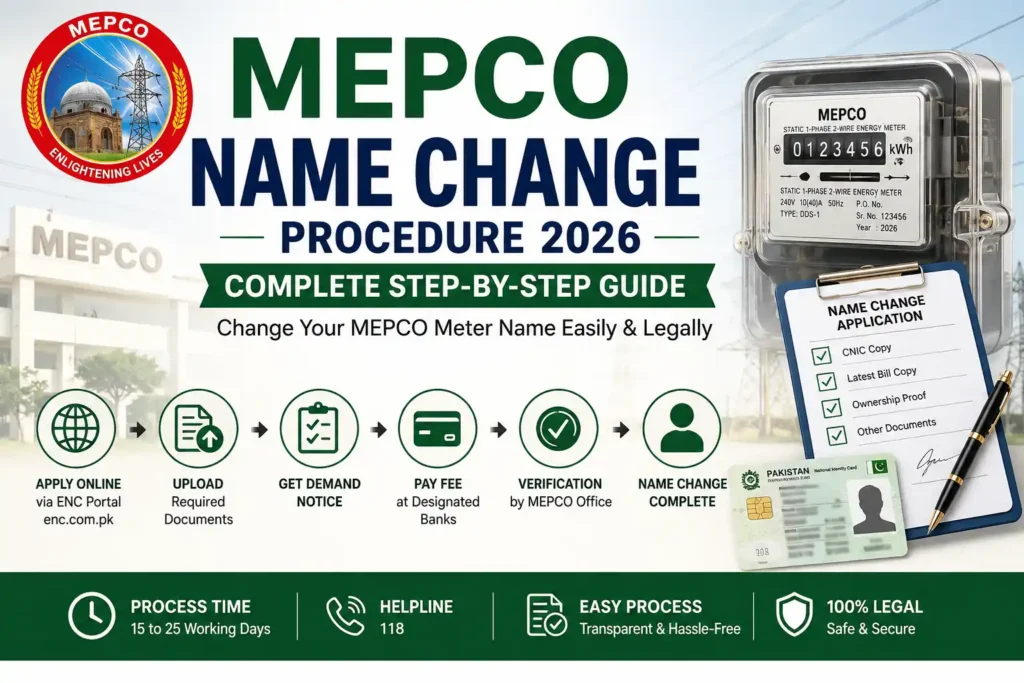
The ENC (Electricity New Connection) system handles Change of Name applications online. Here’s the general path:
- Visit the official ENC portal and select Change of Name from the application options.
- Fill in your details as per CNIC, your connection’s reference number, and your contact number, then upload the documents requested by the system.
- Submit the application and save the Tracking ID provided by the system. You’ll need it to check your application status and access related information.
- Follow the instructions shown by the ENC system to print your form and complete any office verification it asks for.
- Once verified, a Demand Notice will be issued. Do not make a payment unless you have received the applicable Demand Notice or official payment instructions, and follow the amount and method specified by MEPCO.
- After payment and final verification, the name on your meter and billing records will be updated.
The exact screens and menu labels in the ENC portal can change over time, so always follow what the system shows you at the time of applying rather than relying only on this guide.
Tracking Your Application
Keep your Tracking ID safe. It’s used to access your application status and related information through the ENC system. Visit the portal, select the tracking option for Change of Name, and enter your Tracking ID to see the current status.
Fees
There’s no single name change fee that applies to every connection. Applicable charges depend on the connection and the requirements of your specific application. Do not make a payment unless you have received the applicable Demand Notice or official payment instructions.
Processing Time
Processing time varies by application, depending on document verification, connection type, and payment status.
Common reasons an application may take longer:
If your application is delayed, use your Tracking ID to check for updates through the ENC system.
Common Mistakes to Avoid
Frequently Asked Questions
Q1: Can I change the name without visiting the office?
The ENC system offers an online facility for Change of Name applications, though some verification or office formalities may still apply depending on your case.
Q2: What if the previous owner isn’t available to sign anything?
Provide your ownership documents and follow the current ENC or MEPCO requirements for your situation.
Q3: Can I change the name if there are unpaid dues?
Outstanding dues can affect processing. Check your latest bill and confirm with MEPCO or the ENC system whether anything needs to be cleared first.
Q4: Is the process different for commercial connections?
The basic process is the same, though commercial connections may need additional documents like a business registration certificate.
Official Sources
- Electricity New Connection (ENC) system
- MEPCO Consumer Service Manual
This website is independent and is not affiliated with MEPCO or the Government of Pakistan.
Related MEPCO Services