
MEPCO Bill Sahiwal Check & Download Free Duplicate Bill (2026)

Sahiwal is one of those cities where electricity bills arrive inconsistently — sometimes two days before the due date, sometimes not at all. If you have been waiting on the paper copy, or if you simply want to know your current amount before the due date sneaks up on you, the MEPCO Bill check tool at the top of this page is the fastest way to sort it out. Enter your 14-digit reference number, click Check Bill, and your MEPCO Bill Sahiwal appears on screen within seconds — full amount, due date, units consumed, payment status, and your last 12 months of billing history — with no login, no registration, and no charge.
This page covers everything specific to Sahiwal district: the MEPCO circle office, all five divisions under the Sahiwal circle, their phone numbers, how to read your bill, how to pay it, how to challenge it if something looks wrong, and practical advice on reducing your monthly electricity costs in this part of South Punjab. If your electricity connection is anywhere in Sahiwal, Pakpattan, Arifwala, or Chichawatni, this is the page for you.
MEPCO Sahiwal — Numbers You Should Save Right Now General Complaints (24/7): 118 MEPCO Circle Sahiwal Office: 040-9200303 MEPCO Sahiwal Billing Helpline: 040-9200305 Toll-Free (All Complaints): 0800-63726 SMS Bill Check: PITC [space] your 14-digit reference number → send to 8334
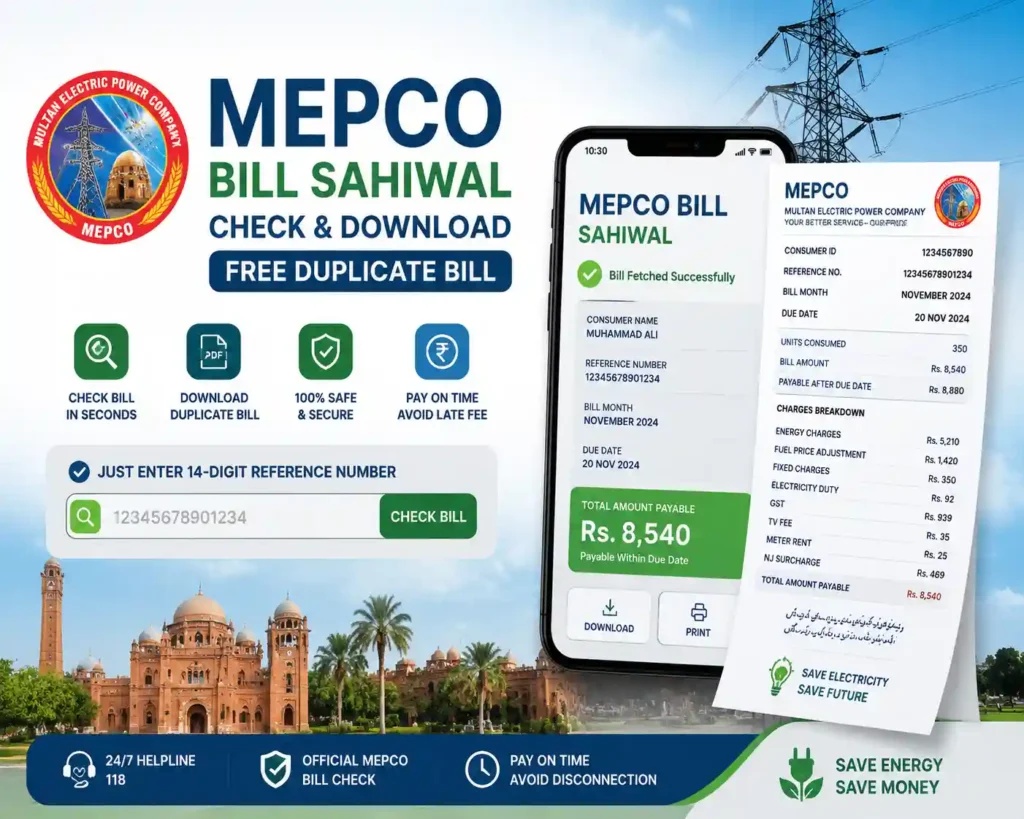
How to Check Your MEPCO Bill Sahiwal Online — The Complete Process
Checking your MEPCO Bill Sahiwal online does not require any technical knowledge, any registration, or any payment. The only thing you need is your 14-digit reference number, which is printed on any previous MEPCO bill — even one from years ago, because the number is permanent and never changes for your connection.
Step 1 — Locate your 14-digit Reference Number
Pick up any old MEPCO bill and look at the top-left corner. You will see a number labelled “Reference No.” with 14 digits, formatted something like 12345678901234. There are no letters in this number, just digits. If you have been paying your bill through JazzCash or Easypaisa, your reference number is also saved in your transaction history under the MEPCO payment record. This is your permanent account identifier and it will work no matter how old the bill is.
Step 2 — Enter it into the bill checker tool
Type all 14 digits into the tool at the top of this page with no spaces and no hyphens. The most common mistake people make is misreading a zero as the letter O, or getting two digits swapped — so take a moment to double-check before clicking. Your 10-digit Customer ID (also printed on your bill just below the reference number) works as an alternative if that is what you have available.
Step 3 — Click Check Bill and review your details
Your MEPCO Bill Sahiwal loads within seconds and shows your name, address, current amount payable within the due date, the amount payable after the due date (which includes the late payment surcharge), the number of units consumed this month, your meter reading dates, and whether your previous bills are paid or outstanding.
Step 4 — Download for payment or record-keeping
If you need to pay at a bank branch or hand the bill to someone else, click Download or Print. The PDF that comes out is a valid duplicate bill that every bank branch, post office, and payment counter in Sahiwal district accepts — it carries exactly the same information as the physical bill and is treated identically for payment purposes.
| Lost Your Reference Number? Go to the official MEPCO website (mepco.com.pk) and find the CNIC search option — enter your 13-digit CNIC and your reference number will come up against your registered connection. Alternatively, any old payment slip from a bank or JazzCash transaction will have your reference number printed on it. If neither option works, visit the MEPCO Circle Office in Sahiwal with your original CNIC and the staff will retrieve your reference number immediately from their system. |
What Every Line on Your MEPCO Bill Sahiwal Actually Means
Most people in Sahiwal receive their electricity bill, see an amount that feels higher than it should be, and have no clear idea which part of the bill changed. Understanding the components of your MEPCO Bill Sahiwal is the first step toward knowing whether you have been billed correctly, and whether there is anything practical you can do about the amount. Here is what every charge on the bill actually represents:
| Charge | What It Actually Means |
| Energy Charges | The core cost of electricity — calculated from your units consumed for the month and the tariff slab you fall into. As your consumption increases, you move into higher slabs and your per-unit rate goes up. |
| Fixed Charges | A flat monthly fee based on your sanctioned load that you pay regardless of how many units you consume. Even if you are away for the entire month, this charge applies. |
| Fuel Price Adjustment (FPA) | A variable charge that changes every month depending on national fuel costs. It is set by NEPRA, not by MEPCO, and can add significantly to your bill in some months while reducing it slightly in others. |
| GST (General Sales Tax) | Currently 18% applied to most consumer categories. This is a federal government tax that MEPCO collects on the government’s behalf. |
| Electricity Duty | A Punjab government levy of approximately 1.5% on the electricity charges portion of your bill. |
| Meter Rent | A small fixed monthly charge for the use of the physical electricity meter installed at your property. |
| TV Fee | A PTV licence fee of Rs. 35 per month that is collected through electricity bills for domestic connections. |
| NJ Surcharge | A federal government surcharge applied to most consumer categories as part of power sector financing. |
| Arrears | Any unpaid amount from a previous month that has been carried forward to the current bill. If you see arrears on your MEPCO Bill Sahiwal, it means a prior bill was either not paid or only partially paid. |
For a complete breakdown of every tax and surcharge with current rates, read our MEPCO Taxes Guide. If you want to understand the Fuel Price Adjustment in detail — what drives it up each month and why it varies — read our Fuel Price Adjustment (FPA) Guide.
The 200-Unit Protected Consumer Threshold — Critical for Sahiwal Households
If your household consumes an average of 200 units or fewer per month across the last six billing cycles, MEPCO classifies you as a Protected Consumer and your per-unit electricity rate is significantly subsidized by the government. The moment your six-month rolling average crosses 200 units, you are reclassified as a Non-Protected (Unprotected) consumer, and your rates increase substantially — not just on the units above 200, but on every unit consumed. This reclassification happens automatically based on your billing history and can come as a shock when it first appears on your MEPCO Bill Sahiwal.
Sahiwal is a moderate-climate city compared to RYK or DG Khan, but summers still push temperatures into the 40s Celsius and AC usage during June, July, and August can easily push a household past the 200-unit threshold.
The government introduced the Cross Subsidy Program 2026 to provide additional relief for protected consumers — check the guide to see if you qualify for additional subsidies on your MEPCO Bill Sahiwal. The way to manage this over the year is to keep your consumption well below 200 units from September through May, which lowers your six-month average and helps you stay in the Protected category even when summer arrives.
Where and How to Pay Your MEPCO Bill Sahiwal
The due date printed on your MEPCO Bill Sahiwal is not flexible — a 10% late payment surcharge is applied automatically the day after it passes, and there is no way to waive it once it has been added. For a full explanation of how due dates are set and exactly how the surcharge is calculated, see our MEPCO Bill Due Date & Late Fee Guide. The simplest way to avoid this is to check your bill online as soon as it is generated — usually 15 to 18 days before the due date — and pay within the first week rather than leaving it until the last few days.
JazzCash and Easypaisa — The Fastest Option for Sahiwal Consumers
Open the JazzCash or Easypaisa app on your phone, navigate to Bill Payments, select MEPCO as the company, enter your 14-digit reference number, review the amount, and confirm. The entire process takes under a minute and the payment reflects in MEPCO’s system within minutes. If you do not have the app installed, any mobile shop, general store, or franchised outlet across Sahiwal, Pakpattan, Arifwala, and Chichawatni that displays a JazzCash or Easypaisa sign will process your payment over the counter for a small service charge of Rs. 5 to Rs. 10.
Mobile Banking Applications
Every major bank operating in Pakistan — HBL, UBL, MCB, Meezan Bank, Bank Alfalah, Askari Bank, and others — supports MEPCO bill payment through their mobile banking apps under the Bill Payments section. Log in, find MEPCO, enter your reference number, verify the amount against your downloaded bill, and confirm the payment from your account balance. This method is instant, costs nothing extra, and is ideal if you manage multiple connections or prefer keeping a digital record of every payment.
Bank Branch
Any bank branch in Sahiwal, Pakpattan, Arifwala, or Chichawatni will accept your MEPCO Bill Sahiwal payment in cash or via cheque. Bring your duplicate bill downloaded from this page — the teller will process it at the counter. Avoid going in the last two or three days before the due date as queues can be long. If you go within the first week of receiving your bill, the process typically takes a few minutes.
Pakistan Post Offices
Post offices across Sahiwal district accept MEPCO bill payments at their counters. They tend to be less crowded than bank branches and the process is straightforward — bring your printed bill, hand it to the counter, and pay in cash. The payment is posted to your MEPCO account within 24 hours.
For a complete list of every payment method — including ATM payments, NADRA e-Sahulat centers, and franchise collection points — visit our MEPCO Bill Payment Methods guide.
MEPCO Offices in Sahiwal — All Divisions, Phone Numbers, and What They Handle
The MEPCO Sahiwal Circle is one of MEPCO’s nine operational circles and covers a large area that includes Sahiwal district, Pakpattan district, and parts of the wider region. The circle operates through five main divisions — Sahiwal Division-I, Sahiwal Division-II, Pakpattan Division, Arifwala Division, and Chichawatni Division — each with its own set of subdivisions and contact numbers. For a full directory of all MEPCO helpline numbers, visit our MEPCO Helpline Numbers page.
| Office | Phone Number | Area / What They Handle |
| MEPCO Circle Office Sahiwal | 040-9200303 | The main circle-level office for the entire Sahiwal circle. For serious unresolved billing complaints, meter disputes, and escalations that division level has not resolved. |
| MEPCO Sahiwal Division-I | 040-9200308 | Sahiwal city and surrounding urban subdivisions — billing, meter complaints, new connections, load changes. |
| MEPCO Sahiwal Division-II | 040-9200569 | Sahiwal city (City Subdivision, Multan Road, Shah Murad, Harappa areas) — billing and technical matters for these subdivisions. |
| MEPCO Pakpattan Division | 0457-371451 | Pakpattan district including P/House, Al-Farid, Noor Pur, and Bonga Hayat subdivisions. All connections, complaints, and billing for the Pakpattan area. |
| MEPCO Arifwala Division | 0457-832098 | Arifwala city and surrounding areas including Qaboola, Ahmed Yar, Kameer, and Sahiwal Road subdivisions. |
| MEPCO Chichawatni Division | 040-5502602 | Chichawatni and its subdivisions including Kassowal and Ghazi Abad. |
| General Complaints (24/7) | 118 | National MEPCO complaint helpline — works from any mobile network for outage reporting, billing complaints, and fault registration. |
| Toll-Free Helpline | 0800-63726 | Free from landlines — all types of complaints including overbilling, electricity theft, and unresolved subdivision-level issues. |
When you visit any MEPCO office for a billing issue, always bring your original CNIC, a printout of the disputed bill, and if possible a photograph of your meter showing the current reading. The combination of these three things makes any complaint significantly easier to resolve on the same visit.
How to Genuinely Reduce Your MEPCO Bill Sahiwal
Generic energy-saving advice — turn off lights, unplug chargers, use LED bulbs — makes very little practical difference to a household electricity bill in Sahiwal. The charges that actually drive your bill up are far larger in scale than what a few light bulbs can offset. Here is advice that addresses the real drivers of high MEPCO Bill Sahiwal amounts, based on what actually works for households and small businesses in this region.
The first and most impactful thing you can do is manage your air conditioner’s temperature setting. The difference between running an AC at 20°C and running it at 26°C is roughly 30 to 40% in electricity consumption for that unit alone.
In a Sahiwal summer where the AC might run for eight to twelve hours a day, that gap translates to hundreds of units per month and potentially thousands of rupees on your MEPCO Bill Sahiwal. Set your AC to 26°C, use a ceiling fan alongside it to distribute the cool air more effectively, and you will find that the room feels just as comfortable at a fraction of the electricity cost.
MEPCO’s designated peak hours run from 7 PM to 11 PM. During these hours, electricity demand across the grid is at its highest. If you have a TOU (Time of Use) or TOD (Time of Day) meter, your per-unit rate is higher during these hours than during off-peak hours. Even with a standard meter, shifting your high-load appliances — washing machine, water pump, iron, geyser — to before 7 PM or after 11 PM reduces your evening load and can meaningfully affect your monthly unit count over time. Read our MEPCO Peak Hours Guide for detailed TOU rate information and practical scheduling tips.
Check your MEPCO Bill Sahiwal carefully for the abbreviation “EST” next to your meter reading. EST stands for Estimated — meaning the meter reader did not physically visit your property that month and the bill was calculated based on an average of previous months. Estimated readings frequently run high, especially in months when your actual consumption was below average. If you see EST on your bill, take a clear photograph of your meter display showing the current reading and contact your SDO subdivision office at 040-9200308 (Sahiwal Division-I) or 040-9200569 (Sahiwal Division-II) with the photo as evidence. A corrected bill will be issued, and any overcharge will show as a credit on the following month’s MEPCO Bill Sahiwal.
Agricultural connections and tube-well meters are common in Sahiwal district given the region’s strong farming economy. If you have a domestic connection and a tube-well or agricultural connection at the same property or farm, make absolutely certain that the two meters are billed under their correct tariff categories.
Agricultural and tube-well tariffs are different from domestic tariffs, and if a connection is being billed under the wrong category, the consumer is either overpaying or underpaying — and the latter can lead to a significant recovery bill later. Check the tariff code printed next to your reference number on your MEPCO Bill Sahiwal: D is for Domestic, C for Commercial, and A for Agricultural.
If you are considering rooftop solar to reduce your long-term electricity costs, read our MEPCO Net Metering Policy Guide and the NEPRA Solar Licence Guide before investing — Pakistan’s net metering policy was updated in 2026 and the compensation rates have changed significantly.
Use the 12-month billing history that appears when you check your bill online to track your monthly consumption pattern. If you see an unexpected spike in a month where your usage habits did not change — particularly outside the summer months — that is usually a signal of either an EST reading correction catching up, a meter fault, or an appliance drawing more power than it should. Use the MEPCO Bill Calculator to estimate what your bill should be based on your actual units, and compare it to what you have been charged.
Your MEPCO Bill Sahiwal Looks Wrong — Step-by-Step What to Do
Overbilling in Sahiwal district follows a predictable set of patterns: estimated readings that run too high, tariff category errors on agricultural or commercial connections, old arrears that appear unexpectedly, and occasional data entry errors by meter readers. If your MEPCO Bill Sahiwal looks significantly higher than it should, here is the exact sequence to follow:
The first thing to do is go to your meter right now and write down the reading on the display. Compare it to the reading shown on your MEPCO Bill Sahiwal — specifically the “Present Reading” figure. If your meter shows a number significantly lower than what the bill claims, you have a clear documented case. Take a photograph of the meter in good lighting with the date visible on your phone. This photograph is your primary evidence and will resolve most billing disputes quickly.
Once you have your meter photo, call 040-9200305 (Sahiwal Circle billing helpline) or the national helpline 118 and report the discrepancy. Give your 14-digit reference number, explain the difference between what your meter shows and what the bill shows, and ask for a complaint reference number — write this down because you will need it for any follow-up. The circle office number at 040-9200303 can also handle escalations if the helpline does not resolve it promptly.
If you have not received a response within seven working days, visit the MEPCO subdivision office that handles your area in person. Bring your CNIC, the disputed bill, and the meter photograph. Ask to file a written bill correction complaint and make sure you receive a stamped copy of whatever they record. In most cases, disputes that are brought in person with proper documentation are resolved faster than phone complaints. Before filing any complaint, read our MEPCO Bill Correction Guide — it walks through every step including what documents to prepare and how to escalate effectively.
If the subdivision office does not resolve your complaint within 14 working days, escalate to NEPRA — the national electricity regulator — at their consumer complaint helpline 080025622 or through the online portal at ccms.pitc.com.pk/complaint.
MEPCO circles respond much faster to complaints that have been formally registered with NEPRA because the regulator tracks resolution timelines. Throughout the complaint process, pay the portion of the bill you agree with on time to avoid disconnection and to keep the late payment surcharge from applying to the undisputed amount.
If your issue involves a meter fault — such as a meter running fast, a damaged display, or incorrect readings — read our MEPCO Meter Replacement Process Guide. And if you need your meter physically moved to a different location on your property, our MEPCO Meter Relocation Guide covers the application process and fees.
Check MEPCO Bill Sahiwal by SMS — Works Without Internet
When load shedding hits and your internet goes down along with your electricity, the SMS service lets you still check your MEPCO Bill Sahiwal as long as your mobile has signal. Send PITC followed by a space and your 14-digit reference number to 8334 — for example: PITC 12345678901234 — and you receive a return SMS within seconds showing your current bill amount, due date, and payment status. The service works on Jazz, Telenor, Zong, and Ufone. Standard SMS charges apply at around Rs. 1 to Rs. 3 depending on your network, and no internet connection is needed at any point.
The official MEPCO Android app, available on the Google Play Store, also lets you check your MEPCO Bill Sahiwal, view your full 12-month billing history, and report faults directly to your subdivision. Your same 14-digit reference number works in the app with no separate registration required.
Areas Covered Under the MEPCO Sahiwal Circle
The MEPCO Sahiwal Circle is one of the larger circles in MEPCO’s network, covering Sahiwal district and Pakpattan district along with their surrounding tehsils and rural areas. Here is a breakdown of the main divisions and the areas they serve:
| Division | Areas Covered |
| Sahiwal Division-I | Sahiwal city (Fareed Town, Civil Lines, Kot Khadim Ali, Rural Sahiwal subdivisions) |
| Sahiwal Division-II | Sahiwal city (City Subdivision, Multan Road, Shah Murad, Harappa areas) |
| Pakpattan Division | Pakpattan city, P/House Subdivision, Al-Farid Subdivision, Noor Pur Subdivision, Bonga Hayat Subdivision |
| Arifwala Division | Arifwala city, City Subdivision, Rural Subdivision, Qaboola, Ahmed Yar, Kameer, Sahiwal Road areas |
| Chichawatni Division | Chichawatni city, City Subdivision, Rural Subdivision, Kassowal, Ghazi Abad |
Sahiwal district is known for its dairy industry, rice mills, and agricultural activity — a significant number of consumers in this circle hold commercial and agricultural connections rather than purely domestic ones. If you have a commercial connection for a shop, office, or small factory in Sahiwal, your tariff slab and the per-unit rate on your MEPCO Bill Sahiwal will be different from a domestic household bill. The tariff code on your bill (visible next to your reference number) confirms which category applies.
Frequently Asked Questions — MEPCO Bill Sahiwal
Q: How do I check my MEPCO Bill Sahiwal online?
Enter your 14-digit reference number into the bill checker tool at the top of this page and click Check Bill. Your MEPCO Bill Sahiwal loads within seconds showing the current amount, due date, units consumed, and 12 months of payment history. No registration is required, the service is free, and it works 24 hours a day.
Q: What is the MEPCO helpline number for Sahiwal?
The Sahiwal Circle office main number is 040-9200303, and the billing helpline is 040-9200305. The national MEPCO Helpline is 118 and works from any mobile network at any time. The toll-free number 0800-63726 is free from landlines and is used for complaints about overbilling, electricity theft, and service quality issues.
Q: Can I download a duplicate MEPCO Bill Sahiwal?
Yes — after checking your bill using the tool on this page, click the Download or Print button and save the PDF to your phone or computer. This duplicate bill is accepted at every bank branch, post office, and payment counter across Sahiwal district and carries the same legal status as the original physical bill for payment purposes.
Q: Where can I pay my MEPCO bill in Sahiwal?
JazzCash and Easypaisa are the most convenient options and work directly from your phone in under a minute. For in-person payment, any bank branch or post office in Sahiwal, Pakpattan, Arifwala, or Chichawatni accepts MEPCO bill payments. Mobile shops and general stores across these areas that display JazzCash or Easypaisa signs also process payments over the counter. See our MEPCO Bill Payment Methods guide for a complete list of every option.
Q: My MEPCO Bill Sahiwal is suddenly much higher — what should I do?
Compare your meter’s current reading to the “Present Reading” on your bill. If there is a significant gap, photograph your meter and contact 040-9200305 or dial 118 with your reference number. Pay the portion of the bill that looks correct on time while your complaint is being investigated to avoid the late payment surcharge and prevent any risk of disconnection. Full steps are in our MEPCO Bill Correction Guide.
Q: How do I check my MEPCO Bill Sahiwal by SMS?
Send PITC followed by a space and your 14-digit reference number to 8334 from any Pakistani mobile number. For example: PITC 12345678901234. You receive your current bill amount and due date by return SMS within seconds, with no internet connection needed.
Q: What areas does the MEPCO Sahiwal Circle cover?
The Sahiwal Circle covers Sahiwal city and district, Pakpattan district, Arifwala, and Chichawatni through five main divisions — Sahiwal Division-I, Sahiwal Division-II, Pakpattan Division, Arifwala Division, and Chichawatni Division. If your electricity connection is in any of these areas, your bill is issued by the MEPCO Sahiwal Circle and the helpline numbers and offices listed on this page are the correct ones for your connection.
Q: What if my reference number is not working in the bill checker?
Recheck each of the 14 digits carefully — a single wrong digit returns an error or pulls up a different account. If the number is correct but the bill is not showing, your current month’s bill may not have been generated yet (bills are typically available 15 to 18 days before the due date). If you have no access to an old bill, go to the official MEPCO website and use the CNIC search option, or visit the circle office at 040-9200303 in person with your CNIC.
Q: How do I change the name on my MEPCO connection in Sahiwal?
A name change on your MEPCO connection requires a visit to your subdivision office with your CNIC, the latest bill, and property documents. Read our MEPCO Name Change Procedure Guide for the complete step-by-step process and the full list of required documents.
Q: Can I apply for a new MEPCO connection in Sahiwal online?
MEPCO allows the initial application for a new connection to be submitted through their online portal. However, you will still need to visit a subdivision office in Sahiwal to complete document verification and fee payment. Read our MEPCO New Connection Guide for the complete step-by-step process including required documents and fee schedule.
A Final Word on Managing Your MEPCO Bill Sahiwal
The most common and avoidable problem that electricity consumers in Sahiwal face is paying a bill late because the paper copy arrived after the due date or was never delivered at all. The 10% surcharge that gets added is real money — on a Rs. 10,000 bill, that is Rs. 1,000 in penalty for simply not knowing your amount on time. The bill checker at the top of this page eliminates that problem entirely.
Check your MEPCO Bill Sahiwal online as soon as it is generated, keep your reference number saved on your phone, and pay within the first week of the billing cycle rather than waiting for the paper copy. Use the MEPCO Bill Calculator to estimate your bill ahead of time if you want to plan your monthly budget around it. And if something on your bill ever looks wrong, call the Sahiwal Circle office at 040-9200303 or dial 118 as early as possible — these disputes are resolved much faster when they are raised before the due date rather than after it.
Written by: Altaf | Updated: July 2026Related: MEPCO Bill Multan | MEPCO Bill Bahawalpur | MEPCO Bill Rahim Yar Khan | Bill Calculator | Helpline Numbers